


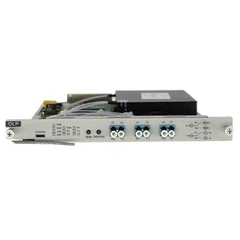


1. Lub Hwj chim teeb tsis nyob
Lub zog tsis ua haujlwm
2. Yuav muaj ib qho teeb meem hauv qab no thaum lub teeb LOS tsis ua haujlwm:
(a) Lub cable los ntawm chav tshuab mus rau tus neeg siv khoom tau tawg lawm.
(b) Lub qhov rau SC tus Tsov tus tw thiabfiber ntau transceivertsis raug tso lossis txiav tawm kom raug.
3. Txuas lub teeb tsis nyob; tej zaum yuav muaj cov xwm txheej hauv qab no:
(a) Tshawb xyuas seb cov kab hluav taws xob kho qhov muag puas puas lawm
(b) Tshawb xyuas seb qhov poob ntawm cov kab hluav taws xob kho qhov muag puas loj dhau thiab tshaj qhov tau txais ntau ntawm cov khoom siv.
(c) Tshawb xyuas seb qhov kev sib txuas ntawm fiber ntau puas txuas nrog zoo, lub zos TX txuas nrog RX nyob deb, thiab TX nyob deb tau txuas nrog RX hauv zos.
(d) Tshawb xyuas seb lub tshuab hluav taws xob kho qhov muag puas raug muab tso rau hauv lub cuab yeej interface, seb hom jumper puas phim lub cuab yeej cuam tshuam, seb hom ntaus ntawv puas phim cov khoom siv fiber ntau, thiab seb qhov sib kis ntev ntawm lub cuab yeej sib tw li cas.
4. Lub Circuit Court LINK teeb tsis nyob, thiab qhov txhaum yuav ua raws li hauv qab no:
(a) Xyuas seb lub network cable puas puas lawm.
(b) Tshawb xyuas seb hom kev sib txuas puas sib haum: daim npav network thiab routers thiab lwm yam khoom siv siv cov kab sib tw, thaum cov keyboards thiab hubs thiab lwm yam khoom siv siv cov kab ncaj nraim.
(c) Tshawb xyuas seb qhov kev sib kis ntawm cov cuab yeej sib phim.
5. Kev ua tsis tiav loj ntawm cov pob ntawv network poob yog raws li hauv qab no:
(a) Qhov chaw nres nkoj hluav taws xob ntawmlub transceivertsis phim lub network ntaus ntawv interface, lossis hom duplex ntawm cov cuab yeej interface ntawm ob qho kawg.
(b) Muaj teeb meem nrog tus khub twisted thiab RJ-45. Kuaj nws.
(c) Qhov teeb meem ntawm kev sib txuas ntawm fiber ntau optical, seb lub jumper puas haum nrog cov cuab yeej sib txuas, seb tus Tsov tus tw fiber ntau zoo li hom jumper thiab coupler, thiab lwm yam.
6. Ob qhov kawg ntawm optical fiber transceiver tsis tuaj yeem sib txuas lus tom qab kev sib txuas
(a) Cov fiber ntau kho qhov muag txuas nrog rov qab, thiab cov khoom siv kho qhov muag txuas nrog TX thiab RX hloov pauv.
(b) RJ45 interface tsis txuas nrog rau cov khoom siv sab nraud (ua tib zoo saib rau kev sib txuas ncaj nraim thiab sib txuas).
Optical fiber interface (ceramic core) tsis sib xws. Qhov kev txhaum no feem ntau yog tshwm sim hauv 100M transceiver nrog photoelectric kev sib nrig sib tswj muaj nuj nqi. Piv txwv li, tus Tsov tus tw fiber ntau ntawm APC tub ntxhais tsis tuaj yeem sib txuas lus ib txwm nrog lub transceiver ntawm PC core, tab sis nws tsis cuam tshuam rau kev sib txuas nrog cov tsis-photoelectric kev sib nrig sib tswj transceiver.
7. Lub sij hawm ntawm lub sij hawm tawm tshwm sim
(a) Tej zaum nws yuav yog tias txoj kev kho qhov muag attenuation loj dhau. Hauv qhov no, lub ntsuas hluav taws xob kho qhov muag tuaj yeem siv los ntsuas lub zog kho qhov muag ntawm qhov kawg tau txais. Yog tias nws nyob ze ntawm qhov tau txais ntau yam, qhov ua txhaum txoj kev kho qhov muag tuaj yeem raug txiav txim siab nyob rau hauv qhov ntau ntawm 1-2dB
(b) Nws tuaj yeem yog qhov hloov pauv txuas nrog lub transceiver yog qhov tsis raug. Lub sijhawm no, hloov qhov hloov pauv nrog lub PC, uas yog, ob lub transceivers txuas ncaj qha rau PC, thiab ob qho kawg yog PING. Yog tias nws tsis tshwm sim, nws tuaj yeem raug txiav txim raws li kev hloov pauv tsis ua haujlwm.
(c) tej zaum yuav tsis ua hauj lwm transceiver, tuaj yeem siv rau ob qhov kawg ntawmlub transceiverPC (tsis yog los ntawm kev hloov), ob qhov kawg ntawm PING tsis muaj teeb meem tom qab kis tau los ntawm ib kawg mus rau lwm qhov kawg ntawm cov ntaub ntawv loj (100 m) saum toj no, saib xyuas nws qhov nrawm, xws li qeeb (200 m hauv qab cov ntaub ntawv hloov chaw ntau dua. 15 feeb), tab sis qhov kev txiav txim yooj yim rau lub transceiver.
8. Kev sib txuas lus sib tsoo tom qab lub sijhawm, uas yog, kev sib txuas lus tsis tuaj yeem rov pib dua tom qab reboot
Qhov tshwm sim no feem ntau tshwm sim los ntawm kev hloov pauv, qhov hloov pauv yuav ua tiav CRC qhov yuam kev tshawb pom thiab tshawb xyuas ntev ntawm tag nrho cov ntaub ntawv tau txais, pob ntawv kuaj pom muaj qhov yuam kev yuav raug muab pov tseg, pob ntawv raug xa mus. Tab sis muaj qhov yuam kev hauv cov txheej txheem, qee lub hnab nyob rau hauv qhov ntev ntawm CRC qhov kev ua yuam kev thiab kev kuaj xyuas tsis raug tawm los, lub hnab no hauv cov txheej txheem xa mus yuav tsis raug xa tawm, nws yuav tsis muab pov tseg, lawv yuav khaws cia rau hauv. lub dynamic cache (tsis), yuav tsis muaj peev xwm xa tawm, kom txog rau thaum cov khoom ntim hauv qhov tsis muaj puv, tuaj yeem ua rau qhov hloov pauv tshwm sim. Vim hais tias ob qho tib si restarting lub transceiver los yog qhov hloov pauv tuaj yeem rov qab sib txuas lus, tus neeg siv feem ntau xav tias lub transceiver yog qhov txhaum.
9. Transceiver Test Method Yog tias muaj teeb meem nrog kev sib txuas ntawm transceiver, sim ua raws li hauv qab no txhawm rau paub qhov ua rau qhov txhaum
(a) Kev xeem Proximal:
Cov khoos phis tawj ntawm ob qho kawg yog pinging, yog tias nws tuaj yeem ping, nws ua pov thawj tias tsis muaj teeb meem nrog fiber ntau optic transceiver. Yog tias qhov kev sim ze-kawg tsis sib txuas lus, nws tuaj yeem txiav txim siab tias fiber ntau optic transceiver yog qhov tsis raug.
(b) Kev ntsuas chaw taws teeb:
Yog tias PING tsis zoo li qub, lub khoos phis tawj ntawm ob qhov kawg yuav tsum xyuas seb qhov kev sib txuas ntawm qhov muag puas zoo li qub thiab seb qhov kev xa tawm thiab tau txais lub zog ntawm qhov kev sib txuas yog qhov zoo li cas.optical fiber ntau transceiveryog nyob rau hauv qhov kev tso cai. Yog tias koj tuaj yeem PING txoj cai dav dav los ua pov thawj tias lub teeb kev sib txuas yog qhov qub. Qhov txhaum tuaj yeem txiav txim siab ntawm qhov hloov.
(c) Kev xeem nyob deb los txiav txim qhov txhaum:
Txuas ib kawg mus rau qhov hloov ua ntej, thiab ob qhov kawg yog PING. Yog tias tsis muaj qhov txhaum, nws tuaj yeem raug txiav txim raws li qhov txhaum ntawm lwm qhov kev hloov.


